Best Bird Feeder Cameras Without a Subscription
Want a bird feeder camera with no subscription? Birdfy's lifetime-free AI models lead our research picks, with Birdbuddy's free plan and local-storage options.
If you buy through links on this page we may earn a commission, at no cost to you. It never decides what we recommend. How we earn
In this article
- Quick picks
- How we chose
- What does “no subscription” actually mean for a feeder camera?
- Birdfy Feeder 2 Duo: best overall without a subscription
- Birdfy Feeder (AI Lifetime Free version): best value lifetime-free AI
- Birdfy Feeder 2 Pro (AI Lifetime Free version): best dual-lens alternative
- Birdbuddy Pro Solar: best free plan
- Wyze Cam v4: best true local storage
- Free features compared
- Cloud storage vs microSD: which is better for bird videos?
- How to keep your best bird clips for free
- Hidden costs that are not subscriptions
- Where to place a feeder camera for the best free results
- What about privacy?
- How to make sure you are buying a no-subscription version
- Is a subscription ever worth it?
- Can you skip the smart feeder entirely?
- Common mistakes when avoiding subscriptions
- Sources
- Frequently asked questions
The best way to get a bird feeder camera with no subscription is to buy a Birdfy model sold with lifetime-free AI identification. Birdfy says the Birdfy Feeder 2 Duo includes it by default, and its free app already covers live view, alerts, auto-recorded clips and 30-day cloud storage. If you prefer Birdbuddy, its free plan is genuinely usable. If you want footage that never touches the cloud, a microSD security camera aimed at your feeder is the only true local option.
“No subscription” is not a simple yes or no. Every smart feeder works without one. The questions are which features you give up, how long clips are kept, and whether species identification is included. This guide breaks that down.
Quick picks
- Best overall without a subscription: Birdfy Feeder 2 Duo, with lifetime-free AI included by default.
- Best value lifetime-free AI: Birdfy Feeder, AI Lifetime Free version.
- Best dual-lens alternative: Birdfy Feeder 2 Pro, AI Lifetime Free version.
- Best free plan: Birdbuddy Pro Solar.
- Best true local storage: Wyze Cam v4.
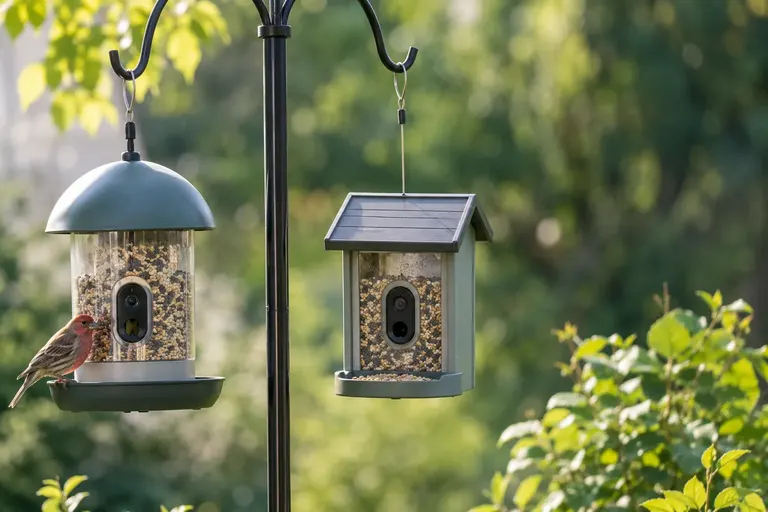
Birdfy Feeder 2 Duo
Birdfy says the lifetime-free AI version is included by default, and the free app covers live view, alerts, clips and 30-day cloud storage.
- Best for
- People who want the most capable camera with no monthly plan.
- Skip it if
- You need local microSD storage.
- Cameras
- 3 MP 2K tracking + 2 MP 1080p wide
- Battery
- 9000 mAh
- Solar
- 5W panel included
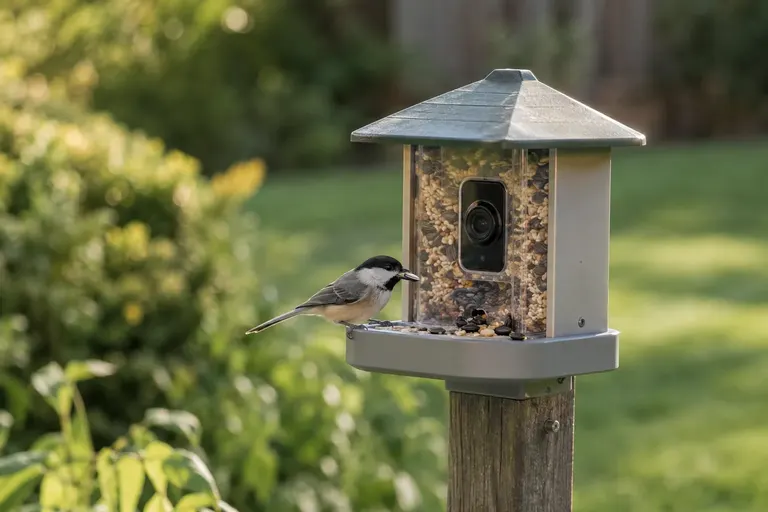
Birdfy Feeder (AI Lifetime Free version)
Birdfy's original feeder, sold in an AI Lifetime Free version, with a big seed bin and long battery rating.
- Best for
- First-time buyers who want no recurring cost.
- Skip it if
- You accidentally buy the standard version, which uses a subscription after a 7-day trial.
- Camera
- 2K high-quality mode
- Seed capacity
- 50 oz (1.5 L)
- Battery
- 5200 mAh
Birdfy Feeder 2 Pro (AI Lifetime Free version)
A two-camera Birdfy with solar included, offered in an AI Lifetime Free version that needs no activation.
- Best for
- Buyers who find the Pro in stock when the Duo is not.
- Skip it if
- The listing does not say AI Lifetime Free.
- Cameras
- 3 MP 2K + 2 MP 1080p
- Weather rating
- IP66
- Operating range
- 14°F to 113°F
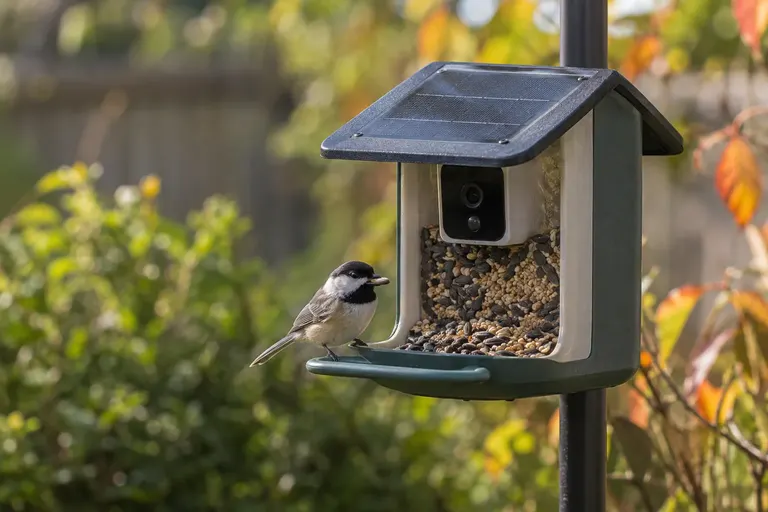
Birdbuddy Pro Solar
Birdbuddy's free plan includes photo and sound ID, automatic photos and videos and 10 guests; Premium is optional.
- Best for
- People who want the strongest camera specs and can live without Premium extras.
- Skip it if
- You want 2K video viewing without paying, since Birdbuddy lists it as a Premium benefit.
- Camera
- 2K video, 5 MP photos
- Weather rating
- IP67
- Seed capacity
- 3.8 cups
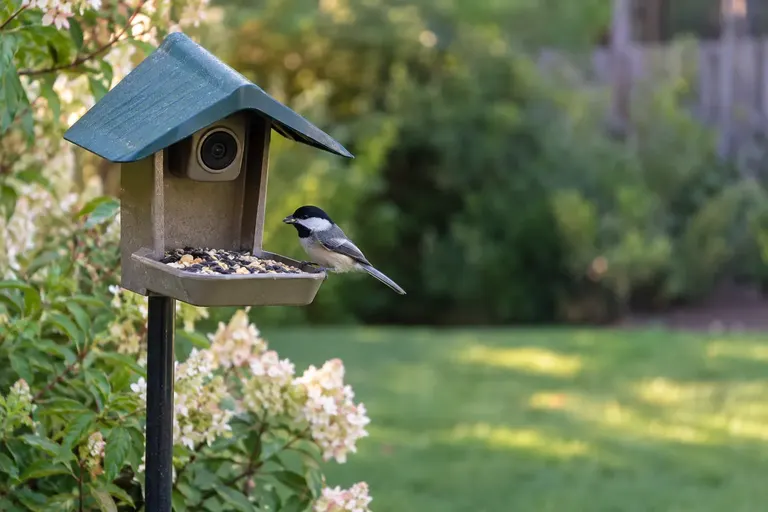
Wyze Cam v4
A 2.5K camera that records continuously to a microSD card with no subscription, aimed at any feeder you own.
- Best for
- DIY-minded buyers who want footage that never leaves the house.
- Skip it if
- You want bird species ID or battery power.
- Resolution
- 2560 x 1440
- Storage
- microSD up to 256 GB
- Weather rating
- IP65
How we chose
We have not tested these cameras ourselves. This is a research-led guide. We read each maker’s own product and membership pages to find out exactly which features are free, which are paid, and how storage works. We then verified camera, battery, capacity and weather specs from the same pages and checked each model is currently sold.
We ranked picks by how much you get with no recurring payment: species identification first, then clip storage, then camera quality. We also looked for repeated patterns in verified owner reviews about subscription prompts, trial renewals and confusion over which version was purchased. Where a maker did not state a detail, we say so.
What does “no subscription” actually mean for a feeder camera?
Think of it as three layers.
Layer 1: the camera works
Live view, motion alerts and automatic recording. All the smart feeders here do this on a free plan. Birdfy lists live viewing, instant notifications, auto-recorded clips and monthly recaps as free features. Birdbuddy’s free plan includes automatic photos and videos.
Layer 2: your clips are stored
Where do recordings go, and for how long? Birdfy’s Feeder 2 series stores unlimited clips in the cloud for 30 days. Birdbuddy delivers photos and videos through its app, and does not list a memory-card slot. Only a camera with microSD support, like the Wyze Cam v4, stores everything locally.
Layer 3: the bird is identified
Species ID is the feature most often tied to payment. Birdbuddy’s free plan includes Photo and Sound ID. Birdfy offers AI recognition either as a subscription after a 7-day trial, or permanently in an AI Lifetime Free version.
A camera that covers all three layers without a bill is the goal. Right now, that points to Birdfy’s lifetime-free versions.
Birdfy Feeder 2 Duo: best overall without a subscription
What it is: A dual-camera Birdfy feeder with a tracking 2K portrait lens, a 1080p wide lens and a side view.
Who it suits: Buyers who want strong camera hardware and zero recurring cost.
Key specs: 3 MP 2K tracking lens and 2 MP 1080p wide-angle lens, 100 fps high-frame-rate mode, 9000 mAh battery, 5W solar panel included, and unlimited cloud storage with 30-day retention. No microSD support. Birdfy says the lifetime-free AI version is included by default for this model, with an optional paid tier for enhanced features.
Strengths: All three layers are covered with no subscription: live view and clips, 30-day storage, and AI identification. Solar plus a large battery keeps charging trips rare.
Drawbacks: Clips older than 30 days are deleted unless you download them. Birdfy does not publish seed capacity or a weather rating for this model on its product page.
Skip it if: You want to keep an archive of every clip without manual downloads.
Birdfy Feeder (AI Lifetime Free version): best value lifetime-free AI
What it is: Birdfy’s original single-camera feeder, sold in both standard and AI Lifetime Free versions.
Who it suits: Budget-minded buyers who want species ID without a bill.
Key specs: 2K high-quality mode (1080p standard), color and infrared night modes, 5200 mAh battery rated for about three months at 10 videos a day, optional solar panel, 50 oz (1.5 L) seed capacity, IP65, and 2.4 GHz Wi-Fi. Birdfy says its AI identifies 6,000-plus species. The microSD slot is not available for playback, per Birdfy.
Strengths: A large seed bin and long battery rating make it low effort. Buying the lifetime version removes the subscription question entirely.
Drawbacks: The standard and lifetime versions are both sold, and listings can be easy to confuse. A single fixed lens makes birds at the tray edge smaller.
Skip it if: The listing you are looking at does not clearly say AI Lifetime Free.
Birdfy Feeder 2 Pro (AI Lifetime Free version): best dual-lens alternative
What it is: A close relative of the Feeder 2 Duo, with a rotating, tracking 2K top lens and a fixed 1080p wide bottom lens.
Who it suits: Buyers who want dual cameras and find this model more available or better suited to their setup.
Key specs: 3 MP 2K top lens and 2 MP 1080p bottom lens, 100 fps mode, solar panel included, IP66, 14°F to 113°F operation, 2.4 GHz Wi-Fi, and cloud storage with 30-day retention. Birdfy states that if you buy the AI Lifetime Free version, no activation or extra payment is needed.
Strengths: A published IP66 rating and operating range. Dual lenses for close and wide views.
Drawbacks: Like the Duo, no microSD. The 14°F lower limit may be an issue in the coldest northern winters.
Skip it if: You live where winter nights regularly drop well below 14°F and cannot bring it in.
Birdbuddy Pro Solar: best free plan
What it is: Birdbuddy’s flagship seed feeder with a 2K camera and solar roof.
Who it suits: People who want top camera specs and are happy with the free plan’s features.
Key specs: 2K video and 5 MP photos, 1/2.7-inch sensor with HDR, 122-degree field of view, up to 120 fps, 3800 mAh battery with solar roof included, IP67, -5°F to 120°F, 3.8-cup seed capacity.
What you get free: Photo and Sound ID, Birdbuddy TV, automatic photos and videos, and up to 10 guests, per Birdbuddy’s membership page.
What Premium adds: Unlimited Nature Chat prompts (free users get one a day), naming returning birds, 2K video viewing, product discounts, bird health alerts and, on the family tier, shared premium access for guests.
Strengths: The free plan includes species ID, which is the feature most people care about. The hardware specs are the strongest published here, with a wider operating temperature range than Birdfy.
Drawbacks: Free users do not get 2K video viewing, per Birdbuddy’s membership page, so you are not using the camera’s full resolution without Premium.
Skip it if: Seeing footage at full 2K without paying matters to you.
Wyze Cam v4: best true local storage
What it is: A small wired home security camera that you point at your own feeder.
Who it suits: People who want recordings kept on a card in the camera, with no cloud and no subscription.
Key specs: 2560 x 1440 resolution, 115.8-degree diagonal field of view, microSD up to 256 GB, 24/7 continuous local recording with no subscription, IP65. It needs wired power, and outdoor use requires a separate Wyze outdoor power adapter.
Strengths: The only pick here that stores everything locally. You can use any feeder you like.
Drawbacks: No bird species identification. Wyze’s advanced AI detection and cloud backup need its Cam Plus plan. A security camera is not designed for close focus, so small birds look smaller than on a purpose-built feeder camera; experiment with distance.
Skip it if: You want birds identified automatically.
Free features compared
| Camera | Free live view and alerts | Free storage | Free species ID | Local microSD |
|---|---|---|---|---|
| Birdfy Feeder 2 Duo | Yes | Cloud, 30 days | Yes, lifetime version by default | No |
| Birdfy Feeder (Lifetime) | Yes | Cloud, 30 days | Yes, in Lifetime version | Not for playback |
| Birdfy Feeder 2 Pro (Lifetime) | Yes | Cloud, 30 days | Yes, in Lifetime version | No |
| Birdbuddy Pro Solar | Yes | In app | Yes, Photo and Sound ID | Not listed |
| Wyze Cam v4 | Yes | microSD | No | Yes, up to 256 GB |
Cloud storage vs microSD: which is better for bird videos?
Both approaches work. They suit different people.
Cloud storage is what Birdbuddy and Birdfy use. Clips upload as soon as they are recorded and appear in the app on your phone, wherever you are. Nothing is lost if the feeder is knocked down or stolen, and you do not have to swap or format memory cards. The downsides are dependence on Wi-Fi and on the company’s servers, and, on Birdfy, a 30-day retention window on free storage.
microSD storage keeps footage on a card inside the camera. There is no retention limit other than card size, and recording continues even when your internet is down. Wyze says the Cam v4 supports cards up to 256 GB and can record continuously. The downsides are that you must review footage yourself, cards can fail, and a stolen camera takes its footage with it. You also get no bird identification.
For most backyard birders, cloud-based feeders with a lifetime-free AI option are the better experience. If you care more about long, uninterrupted recordings, such as watching nest activity or overnight visitors, local storage wins.
How to keep your best bird clips for free
You do not need paid storage to build a library of your best visitors. A simple routine works:
- Review the app every few days. Clips arrive in the app automatically, so a short check keeps the backlog manageable.
- Save favorites to your phone. Download only the clips worth keeping, not every visit.
- Back up monthly. Copy saved clips to a computer or a photo backup service you already use.
- Name or tag by species and date. This turns clips into a useful record, and it pairs well with keeping a yard list. Our guide on how to keep a life list covers simple methods.
- Share rare visitors. Unusual birds are worth reporting to eBird with a photo, which helps science and costs nothing.
Hidden costs that are not subscriptions
Avoiding a monthly plan does not make a camera feeder free to run. Budget for these instead:
- Solar panels. Included with the Birdbuddy Pro Solar, the Birdfy Feeder 2 Duo and Feeder 2 Pro, and built into the Birdfy Feeder Metal, but an optional extra for the original Birdfy Feeder.
- Wi-Fi extenders. Both brands need 2.4 GHz Wi-Fi at the feeder, and a weak yard signal is a common problem.
- Outdoor power. The Wyze Cam v4 needs wired power, and Wyze sells a separate adapter for outdoor use.
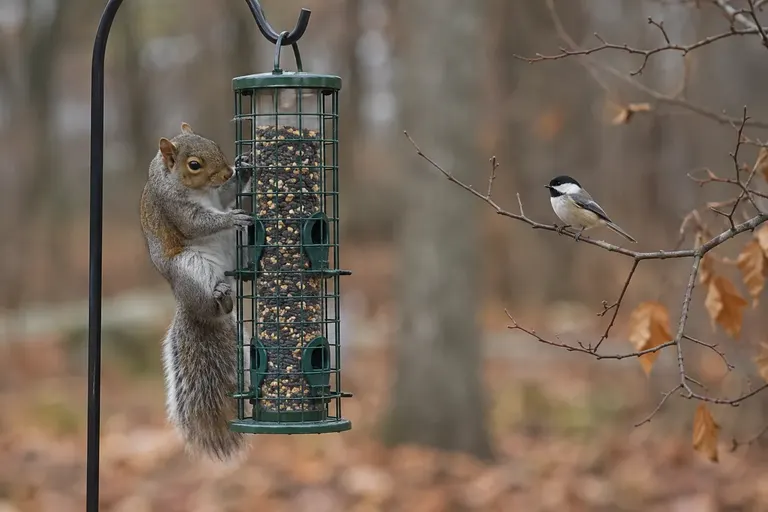
- Mounting hardware. A sturdy pole and baffle protect an expensive camera from squirrels.
- Seed. Busy camera feeders empty quickly, especially small ones like the Birdbuddy with its 3.8-cup capacity.
Where to place a feeder camera for the best free results
Good placement matters more than any paid feature. A well-placed camera captures more birds, sharper images and fewer false alerts, which makes free storage and free ID go further.
- Keep the sun behind the camera. A feeder facing into the sun records silhouettes that AI cannot identify.
- Stay within strong Wi-Fi range. Check signal on your phone at the exact spot before mounting.
- Put shrubs nearby but not touching. Cover within a short flight makes birds comfortable, but branches that sway in the frame trigger empty clips.
- Mount on a baffled pole. Squirrels fill your 30-day storage with squirrel videos and drain batteries.
- Choose a simple background. Distant foliage beats a fence, car or house wall.
Our guide on where to put a bird feeder covers distances from cover and windows in more detail.
What about privacy?
A feeder camera is an outdoor camera connected to the internet. Read the privacy policy for any brand you buy, particularly how long footage is kept and whether it is used to train AI models. Check that your account uses a strong, unique password and, where offered, two-factor sign-in. Aim the camera at the feeder, not at neighbors’ windows or yards. A local microSD camera avoids cloud storage entirely, though it still needs its app and firmware kept up to date.
How to make sure you are buying a no-subscription version
- Read the product title. For Birdfy, look for “AI Lifetime Free” in the title or variant selector.
- Check the variant, not just the photo. Standard and lifetime versions look the same.
- Read the maker’s page for your exact model. Plans differ between models. For example, Birdfy lists unlimited AI recognition as a paid Birdfy Plus benefit on its Feeder Metal page.
- Note trial end dates. If a version starts with a 7-day trial, set a reminder so it does not quietly renew.
- Save clips regularly. With 30-day cloud retention, download favorites weekly.
For a full head-to-head of the two main brands, see our Bird Buddy vs Birdfy comparison.
Is a subscription ever worth it?
Sometimes. If you want health alerts, unlimited AI chat, or 2K viewing on Birdbuddy, Premium delivers those. If a Birdfy standard version is much cheaper than the lifetime one, a short subscription may cost less overall, but only if you would cancel it. For most backyard birders, the free tiers plus a lifetime-AI model cover what matters: knowing which birds visited, and seeing them. Our guide to whether smart bird feeders are worth it weighs the bigger picture.
Can you skip the smart feeder entirely?
Yes. Pairing a good feeder with a microSD camera costs nothing monthly, and you can confirm IDs yourself with a free app. Merlin’s Photo ID and Sound ID are free. Our guide to the best bird ID apps compares options, and our feeder camera setup guide explains how to get sharp shots with any camera.
Common mistakes when avoiding subscriptions
- Buying the wrong Birdfy version. The most common and most avoidable mistake.
- Assuming “free app” means free AI. On some models, recognition beyond the trial is paid.
- Forgetting the 30-day window. Download clips you care about.
- Ignoring Wi-Fi. Birdbuddy and Birdfy need 2.4 GHz Wi-Fi at the feeder.
- Choosing on price alone. A cheap camera with no ID may leave you guessing. See our budget bird feeder cameras for the trade-offs.
For our overall top choices, including subscription-based picks, see the best bird feeder cameras.
Sources
Frequently asked questions
Is there a bird feeder camera with no monthly fee?
Yes. Every major smart feeder works without a monthly fee for basics such as live view and alerts. For species identification with no recurring fee, Birdfy sells models in an AI Lifetime Free version, and says the Feeder 2 Duo includes it by default. For recording with no cloud at all, a security camera like the Wyze Cam v4 records to microSD with no subscription.
Does Birdbuddy work without a subscription?
Yes. Birdbuddy's free plan includes Photo and Sound ID, Birdbuddy TV, automatic photos and videos, and inviting up to 10 guests, according to its membership page. Premium plans add extras such as unlimited Nature Chat, naming returning birds, 2K video viewing, product discounts and bird health alerts. The feeder is fully usable on the free plan.
What does Birdfy AI Lifetime Free mean?
It is a version of Birdfy's feeders that includes AI bird identification permanently, with no activation or extra payment, according to Birdfy. The standard version instead offers a 7-day free trial followed by a monthly, annual or one-time payment for AI recognition. Check the product title or listing carefully, because both versions are sold and can look almost identical.
Can I save bird feeder camera videos without the cloud?
With Birdbuddy and Birdfy, clips are delivered through the app, and you can download the ones you want to your phone. Birdfy states that its microSD slot is not available for playback, and Birdbuddy does not list a card slot. For fully local recording, use a camera with microSD support, such as the Wyze Cam v4, aimed at your feeder.
How long does Birdfy keep clips on the free plan?
Birdfy says its Feeder 2 series includes unlimited cloud storage with a 30-day retention period, and lists auto-recorded clips among its free app features. After 30 days, clips are removed, so download any you want to keep. It is a good habit to save favorite clips weekly to your phone or computer.