Best Bird Identification App: Merlin vs eBird, Audubon, Sibley
The best bird identification app for most people is Merlin: free, offline Sound ID and Photo ID. Here is how it compares with eBird, Audubon and Sibley.
In this article
- Quick answer: which bird ID app should you download?
- How we chose
- Merlin Bird ID: the best bird identification app for most people
- eBird: the best app for recording what you see
- Audubon Bird Guide: the best free field guide app
- Sibley Birds: the best paid app for illustrations and comparisons
- Other bird ID apps worth knowing
- Is Merlin or Audubon better?
- Is Sibley or Audubon the better field guide app?
- Do bird ID apps actually work? What the accuracy limits are
- How to set up a bird ID app before your first outing
- Common mistakes when using bird ID apps
- Which bird ID app fits which kind of birder?
- Are free bird apps as good as paid ones?
- Sources
- Frequently asked questions
The best bird identification app for most people is Merlin Bird ID from the Cornell Lab of Ornithology. It is free, it identifies birds by sound, by photo or by answering three quick questions, and its Sound ID and Photo ID work offline once you download a regional Bird Pack. Photo ID alone covers more than 8,000 species. Add eBird to record what you see, and consider Sibley Birds or the Audubon Bird Guide for a full field guide in your pocket.
No app replaces your own eyes and ears. Each one suggests; you confirm. The rest of this guide explains what each app actually does, where each one falls short, and which combination fits the way you bird.
Quick answer: which bird ID app should you download?
| App | Made by | Cost | What it is best at | Works offline? |
|---|---|---|---|---|
| Merlin Bird ID | Cornell Lab of Ornithology | Free | Identifying a bird by sound, photo or description | Yes, Sound ID and Photo ID after Bird Packs download |
| eBird | Cornell Lab of Ornithology | Free | Recording checklists, finding hotspots, rare bird alerts | Checklists can be entered offline and submitted later |
| Audubon Bird Guide | National Audubon Society | Free | Free field guide with 800+ species and Kenn Kaufman’s text | Not confirmed by Audubon’s app page |
| Sibley Birds (v2) | Sibley Guides | Paid | David Sibley’s illustrations and side-by-side comparisons | Yes, needs no connection once installed |
| BirdNET | Cornell Lab and Chemnitz University of Technology | Free tools | Sound identification, research and DIY monitoring | Varies by tool |
| iNaturalist | iNaturalist (nonprofit) | Free | Photo IDs of birds plus plants, insects and other wildlife | Limited without data |
If you only install one app, make it Merlin. If you install two, add eBird. That pair covers identification and record keeping, and both are free.
How we chose
We have not run a side-by-side field trial of these apps. This guide is based on the developers’ own documentation (Cornell Lab, National Audubon Society, Sibley Guides), published explanations of how the identification models are trained, eBird’s help center, and consistent patterns in how experienced birders and owner reviews describe using each app. Where a feature or number could not be confirmed from the developer, we left it out or say so.
We weighed five things:
- Identification help. Can the app suggest what a bird is from a photo, a sound or a description?
- Reference quality. Are the illustrations, photos, range maps and sound recordings good enough to confirm a suggestion?
- Offline use. Does it work in a park, on a farm road or on a trail with no signal?
- Cost. Free, one-time purchase or subscription.
- Where your data goes. Does what you record help science, and can you keep a life list?
Merlin Bird ID: the best bird identification app for most people
Merlin is the app to start with. It is made by the Cornell Lab of Ornithology, it is free, and it is powered by eBird’s observation data plus photos, songs and calls contributed by birders. The Cornell Lab says its Photo ID is trained on images contributed to eBird checklists and stored in the Macaulay Library.
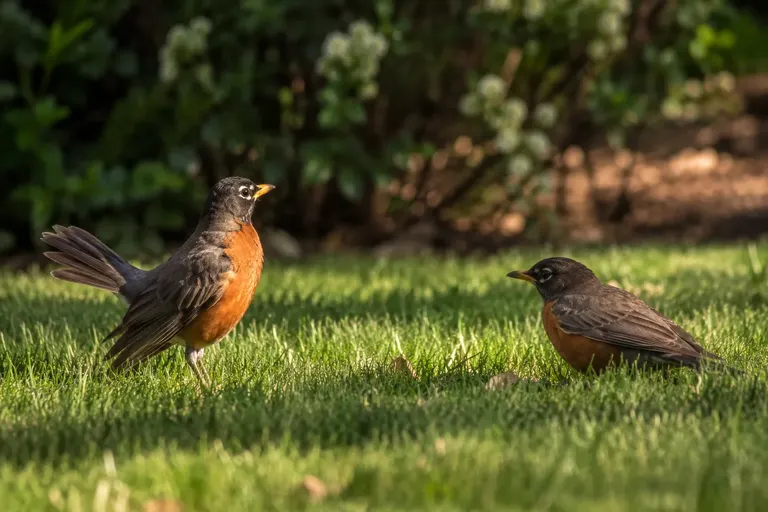
Sound ID
Hold your phone out, tap record, and Merlin lists the birds it hears in real time, each with a thumbnail and example recordings you can play to compare. It converts the audio into a spectrogram, a picture of sound frequency over time, and a neural network reads that picture. The Cornell Lab’s supported-species page lists more than 2,000 species worldwide, including more than 600 for the United States and Canada, with updates roughly twice a year.
Sound ID is the feature that changed backyard birding for many people. It is especially good at teasing apart a busy spring morning, where five or six birds sing at once. It is less reliable with mimics, distant birds, faint chip notes and species whose songs vary a lot between individuals. Our full guide to using Merlin Sound ID without getting fooled covers how to check its suggestions.
Photo ID
Take a photo or pull one from your camera roll, and Photo ID offers a short list of likely matches. The Cornell Lab says it covers more than 8,000 species and works completely offline. It works best when the bird is in focus and fills a good part of the frame, so crop tightly around the bird before you submit.
Step-by-step ID
If you have no photo and the bird did not sing, answer three questions: size, main colors and what it was doing (at a feeder, on the ground, in a tree, swimming, flying). Merlin combines your answers with the location and date to show a ranked list of birds that are likely there right now. This is the most underrated feature for beginners, because it teaches you the questions experienced birders ask. Our guide to how to identify birds goes deeper on those same clues.
Bird Packs and life list
Merlin stores photos, sounds and ID data in downloadable regional Bird Packs. Install the pack for where you live, plus packs for places you travel. Tapping “Save My Bird” adds a species to your Merlin life list.
Strengths: free; three ways to identify; strong offline performance; content from the Cornell Lab and eBird; Spanish as well as English.
Drawbacks: suggestions can look authoritative even when they are wrong; Bird Packs take storage space; it is an ID tool, not a full field guide with long species accounts.
Skip it if: you already know your local birds well and only need a place to log sightings. Then eBird alone may be enough.
eBird: the best app for recording what you see
eBird is not an identification app. It is where you record your birding: when, where, how long, and which species you found. The Cornell Lab runs eBird as a collaborative project with hundreds of partner organizations and thousands of regional experts, and says it receives more than 100 million bird sightings a year. The app, the website and the data are free.
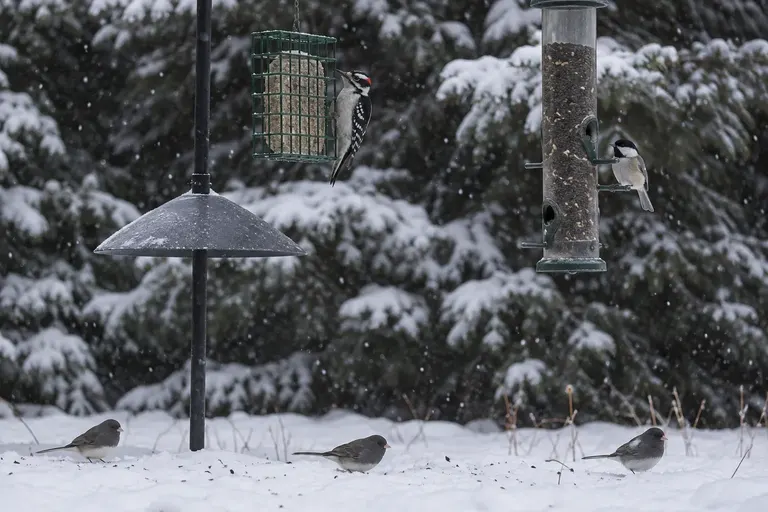
What eBird does for a backyard birder
- Checklists. You submit a list of every species you identified, with counts, plus your start time, duration and distance. A complete checklist tells scientists what you did not see as well as what you did.
- Life list and yard list. eBird builds your life list automatically and tracks yard and patch totals.
- Hotspots. Public birding locations with shared species lists. The hotspot map shows where birders have reported the most species, and you can filter by month.
- Alerts. Email alerts for rare birds in a region, and “Needs Alerts” for species you have not yet recorded there.
Our step-by-step guide to how to use eBird explains checklist protocols, hotspots and alerts in detail.
Strengths: free; your records feed real conservation science; the best tool for finding where birds are being seen.
Drawbacks: no photo or sound identification; the protocols take a few outings to learn; submissions of unusual species may be flagged for review.
Skip it if: you have no interest in keeping lists. Merlin alone will cover identification.
Audubon Bird Guide: the best free field guide app
The Audubon Bird Guide app is a free field guide to more than 800 North American species from the National Audubon Society. According to Audubon, it includes more than 3,000 images, over eight hours of songs and calls, multi-season range maps and field guide text by Kenn Kaufman. Its Bird ID tool narrows the list from what you saw: color, size, tail shape and so on. It can record your sightings, build a life list and show nearby eBird hotspots and recent sightings.
This is a good choice if you want to read about a bird after you identify it: habitat, behavior, voice and similar species, all in one account.
Strengths: free; solid text by a well-known field guide author; range maps and sound recordings for each species; eBird hotspot and sightings integration.
Drawbacks: no sound identification like Merlin’s; Audubon’s app page does not state how much of the content works offline, so check before a trip without signal.
Skip it if: you want the fastest possible ID from a recording or photo. Merlin does that better.
Sibley Birds: the best paid app for illustrations and comparisons
Sibley Birds v2, launched in November 2018, puts the artwork from The Sibley Guide to Birds, Second Edition on your phone. Sibley Guides says it covers more than 930 North American species and more than 2,700 songs and calls, and it needs no connection once installed. It is a paid app with no subscription.
Its standout feature is side-by-side comparison. Put two confusing species next to each other, say Downy and Hairy Woodpecker, or House Finch and Purple Finch, and look at the same view of each. You can also filter species by US state or Canadian province, search by habitat, size, color or pattern, and keep your own list with cloud backup.
Strengths: Sibley’s illustrations point out field marks consistently across species; comparison view; fully offline; available for iOS, Android, Amazon devices and Windows.
Drawbacks: no photo or sound identification; costs money while the other three main apps are free.
Skip it if: you prefer photos over paintings, or you only want automatic ID.

Other bird ID apps worth knowing
BirdNET
BirdNET is a sound identification project from the K. Lisa Yang Center for Conservation Bioacoustics at the Cornell Lab and Chemnitz University of Technology. The project says its model recognizes more than 6,000 species globally. It is used heavily in research and by hobbyists who build always-on backyard listening stations with BirdNET-Pi. For casual phone use, most backyard birders will find Merlin simpler, but BirdNET is worth a look if you like the technical side.
iNaturalist and Seek
iNaturalist is a nonprofit platform for recording all kinds of wildlife, not only birds. Upload a photo and it suggests an identification, then other users can confirm it. It is handy if your yard interest extends to the plants, butterflies and insects that birds depend on. Its sister app, Seek, is aimed at a more casual audience.
Bird feeder camera apps
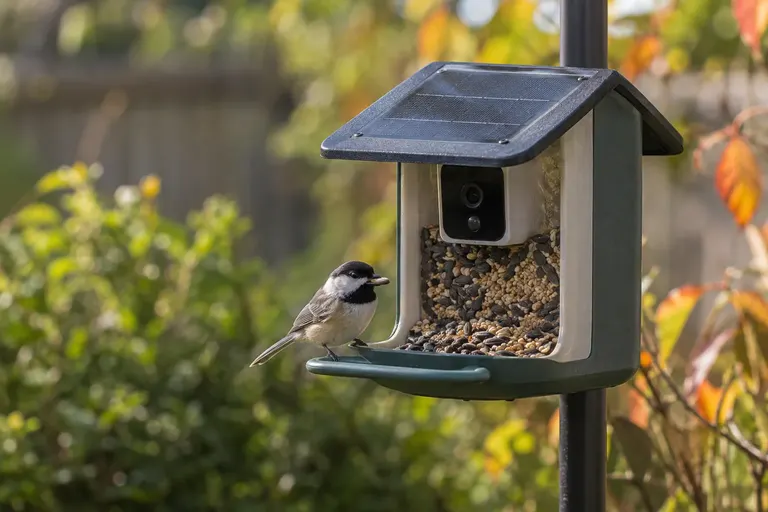
If you own a smart feeder, its app will usually offer automatic species labels. Those labels come from the camera maker’s own model, not the Cornell Lab’s, and quality varies. Our guide to whether smart bird feeders are worth it covers what those features can and cannot do.
Is Merlin or Audubon better?
For identifying a bird you do not know, Merlin is better. It can listen and look, while the Audubon app relies on you describing what you saw. For reading about a bird once you know what it is, the Audubon app has fuller species accounts. Both are free, so there is no reason not to install both and use each for what it does well.
Is Sibley or Audubon the better field guide app?
It comes down to paintings versus photos and paid versus free. Sibley’s illustrations are drawn to show the same field marks in the same poses across related species, which makes comparisons clean. Photos show real birds but in varying light and angles, which can make two similar species look more or less alike than they are. If you learn best from consistent diagrams, pay for Sibley. If you want a free reference with photos, sound and text, use Audubon.
Do bird ID apps actually work? What the accuracy limits are
Every identification app gives you probabilities, not proof. A few patterns come up again and again in how birders describe their results:
- Location and date matter. Merlin and eBird use your location and the time of year to weight suggestions. If your phone’s location services are off, or you import a photo from a trip without location data, suggestions get worse.
- Poor inputs mean poor outputs. A blurry, backlit or distant photo, or a recording full of traffic noise, gives the model little to work with.
- Mimics and look-alikes trip them up. Northern Mockingbirds, Gray Catbirds, Brown Thrashers, European Starlings and Blue Jays can all imitate other birds. Blue Jays in particular often imitate Red-shouldered and Red-tailed Hawk calls.
- Rare birds get overcalled or missed. Models learn from what is common. A truly rare bird may not be suggested, and a common bird may occasionally be labeled as a rarity.
The fix is the same in every case: use the app’s suggestion as a lead, then confirm with field marks, range, habitat and behavior. That is also why good binoculars still matter. Our guide to the best binoculars for birding covers what to look for.
How to set up a bird ID app before your first outing
- Install Merlin and download your Bird Pack at home on Wi-Fi. Pick the pack that covers your state or region. It is a large download.
- Allow location access. This is how the app knows which birds are likely where you are.
- Allow microphone access for Sound ID, and camera and photo access for Photo ID.
- Install eBird and create a free Cornell Lab account. The same account works across Merlin, eBird and other Cornell Lab tools.
- Add a field guide app if you want one. Audubon is free; Sibley is a one-time purchase.
- Practice at home first. Run Sound ID at an open window at dawn and compare what it lists with what you can see at your feeder.
- Turn off keyboard clicks and ringtones. Sounds from your own phone can land in a Sound ID recording.
Common mistakes when using bird ID apps
- Accepting the first suggestion. Check at least the top two or three species and read why they are similar.
- Using Sound ID indoors through glass. Windows cut high frequencies. Step outside if you can.
- Recording while talking or walking. Your voice and footsteps are the loudest sounds your phone hears.
- Forgetting the season. A summer-only species suggested in January deserves a second look.
- Treating app IDs as eBird records without checking. eBird asks you to report only birds you confidently identified. An app suggestion alone is not enough.
- Skipping the basics. Size, shape, behavior and habitat are faster than any app once you know them. The apps are best as teachers, not crutches. Our birding for beginners guide covers the rest of the kit.
Which bird ID app fits which kind of birder?
The backyard feeder watcher
Merlin for identification, eBird for a yard list if you enjoy keeping records. Place a feeder where you can see it well from a window, and use Sound ID on the porch in the morning. Our guide to where to put a bird feeder helps with the viewing angle.
The new birder who wants to learn
Merlin’s Step-by-step ID plus a field guide app. Merlin tells you what the bird probably is; Sibley or Audubon teaches you why. Over time, try to identify a bird yourself before you open the app, then check your answer.
The traveler
Merlin with the Bird Packs for every region you will visit, downloaded before you leave. eBird for finding hotspots and checking recent sightings at your destination.
The list keeper
eBird is essential. It keeps life, year, state, county and yard lists automatically, and its alerts tell you when a species you need turns up nearby.
Are free bird apps as good as paid ones?
In this category, yes, for most people. The two most capable apps, Merlin and eBird, are free because the Cornell Lab funds them as part of its science and education mission, and the Audubon Bird Guide is also free. The main reason to pay is David Sibley’s artwork and comparison tools, which are a matter of preference, not a gap in the free apps. Be skeptical of paid apps that promise instant, certain identification. No model can deliver that, and the free options from established ornithology organizations set a high bar.
Sources
Frequently asked questions
What is the most accurate bird identification app?
No app is accurate every time, but Merlin Bird ID from the Cornell Lab is the most widely used and is trained on media from eBird checklists stored in the Macaulay Library. Its Sound ID and Photo ID give a short list of likely species, not a final answer. Accuracy depends on photo quality, recording conditions and whether the species is covered in your region.
Is the Merlin Bird ID app really free?
Yes. The Cornell Lab of Ornithology describes Merlin as free, with no subscription. You download free regional Bird Packs that hold the photos, sounds and ID data for your area, which is also what lets Sound ID and Photo ID work offline once the packs are installed on your phone.
What is the difference between Merlin and eBird?
Merlin helps you identify a bird you are looking at or hearing. eBird is where you record what you saw: you submit checklists with date, location, effort and counts, and the data feed science and conservation. Both come from the Cornell Lab and share the same underlying data, so many birders use Merlin to identify and eBird to log.
Is the Sibley Birds app worth paying for?
It is worth it if you like David Sibley's illustrations and want a complete North American field guide that works with no connection. The Sibley Birds v2 app covers more than 930 species with over 2,700 songs and calls and lets you compare species side by side. It does not identify birds from photos or sounds.
Can a bird app identify birds from a photo?
Yes. Merlin's Photo ID suggests likely matches from a photo you take or pull from your camera roll, and it works offline. iNaturalist also suggests IDs from photos for all kinds of wildlife. Results improve when the bird fills more of the frame and is in focus, so crop tightly before you ask for an ID.
Do bird identification apps work without cell service?
Several do. Merlin's Sound ID and Photo ID run on the phone once Bird Packs are downloaded, and the Sibley Birds app needs no connection after installing. The eBird app can record checklists offline and submit them later. Download packs and content on Wi-Fi at home before a trip to an area with poor signal.