How to Use eBird: Checklists, Hotspots and Alerts
How to use eBird: submit complete checklists with the right protocol, count feeder birds correctly, find nearby hotspots and set rare bird and needs alerts.

In this article
- Quick answer: how to submit your first eBird checklist
- What is eBird and why use it?
- eBird checklist rules you need to know
- Which eBird protocol should you use?
- How to count birds for eBird
- Hotspot or personal location?
- How to find eBird hotspots near you
- eBird Explore tools worth learning
- How to set up eBird alerts
- What happens after you submit a checklist?
- How to use the eBird Mobile app in the field
- How to edit or delete an eBird checklist
- How to use eBird to plan a birding outing
- Does eBird data actually help birds?
- eBird or Project FeederWatch: which should a feeder watcher use?
- eBird tips for backyard birders
- Common eBird mistakes
- Sources
- Frequently asked questions
Here is how to use eBird in one sentence: create a free Cornell Lab account, go birding, and submit a checklist of every species you identified with an honest start time, duration, distance and count for each bird. eBird recommends keeping traveling checklists under 5 miles and stationary ones under 3 hours. Once you have a few checklists in, eBird’s hotspot maps and alerts help you find birds near home, and your lists quietly build a life list and yard list for you.
The details matter because eBird is a science project as well as a record book. The Cornell Lab says eBird receives more than 100 million bird sightings a year and that the data have been used in hundreds of conservation decisions and peer-reviewed papers. The steps below follow eBird’s own rules and best practices so your checklists are useful as well as tidy.
Quick answer: how to submit your first eBird checklist
- Create a free Cornell Lab account at ebird.org and install the free eBird Mobile app.
- Start a checklist when you start birding. In the app, tap to start; it records the time and, if you allow it, tracks distance.
- Choose your location. Pick a public hotspot, or create a personal location such as your yard.
- Enter every species you identify, with a count for each. Use “X” only if you truly could not count.
- Pick the protocol: stationary, traveling or incidental.
- Say whether the checklist is complete, meaning you reported everything you identified.
- Submit. The app can store the checklist offline and send it later.
What is eBird and why use it?
eBird is an online database of bird observations run by the Cornell Lab of Ornithology as a collaboration with hundreds of partner organizations and thousands of regional experts. Birders enter when, where and how they went birding, and which birds they found. The data are free for anyone to use.
For a backyard birder, eBird does three useful things:
- It keeps your records. Life list, year list, state and county lists, and yard and patch totals update automatically.
- It shows you where birds are. Maps, hotspots and recent sightings for any area.
- It turns your hobby into data. Your checklists document bird distribution, abundance and trends.
eBird is not an identification app. For that, use Merlin, also from the Cornell Lab. Our guide to the best bird identification apps explains how the two fit together.
eBird checklist rules you need to know
eBird’s rules and best practices set out what a checklist should contain. The main points:
- One date. A checklist should not span more than one calendar day.
- One location. Each checklist corresponds to a single map location. If you change places, habitat type or birding method, start a new checklist.
- Report what you identified. Include birds seen or heard that you confidently identified, including fledglings and free-flying introduced species like House Sparrows and European Starlings.
- Do not report: eggs, captive birds, dead birds, birds seen only on remote cameras such as nest cams and trail cams, or birds reported by someone else.
- Keep effort reasonable. eBird recommends keeping traveling checklists under 5 miles and stationary checklists under 3 hours. Shorter lists are more precise.
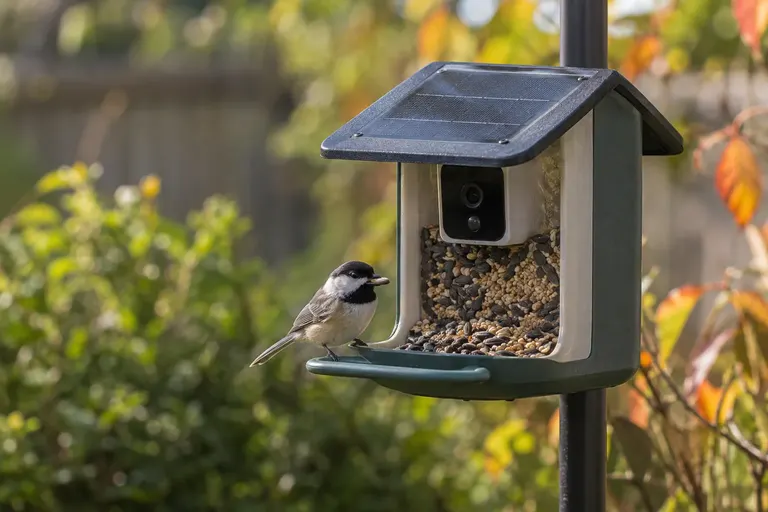
The camera rule surprises feeder camera owners. A bird seen only in a smart feeder’s app clip does not count; you need to see or hear it yourself. Our guide to bird feeder cameras covers those devices separately.
Which eBird protocol should you use?
The protocol tells scientists how you birded, which matters as much as what you saw.
| Protocol | Use it when | Key rule |
|---|---|---|
| Stationary | You watched from one spot, such as your yard or a window | Stayed within about 100 ft (30 m) of the start point |
| Traveling | You walked, biked or drove while birding | Moved more than 100 ft; enter unique distance only, no backtracking |
| Incidental | Birding was not your main activity, such as driving or gardening | Automatically marked incomplete; no effort data needed |
| Historical | Old records where you know the date but not the time or duration | Use only when effort information is missing |
For most backyard sessions, stationary is right. Pour a coffee, note the time, watch the feeders for 20 or 30 minutes, and record everything you identify. If you walk the property or the block, switch to traveling.
What about a whole day of casual feeder watching?
eBird prefers several shorter, well-defined checklists over one vague all-day list. Watch for a set period, submit, and start a new list later. If you glance out the window while doing something else and notice a new bird, an incidental checklist is the honest choice.
How to count birds for eBird
Counts make your checklist far more valuable than presence alone. eBird’s guidance asks for exact counts when possible and “X” only for species you identified but could not count.
Counting feeder birds
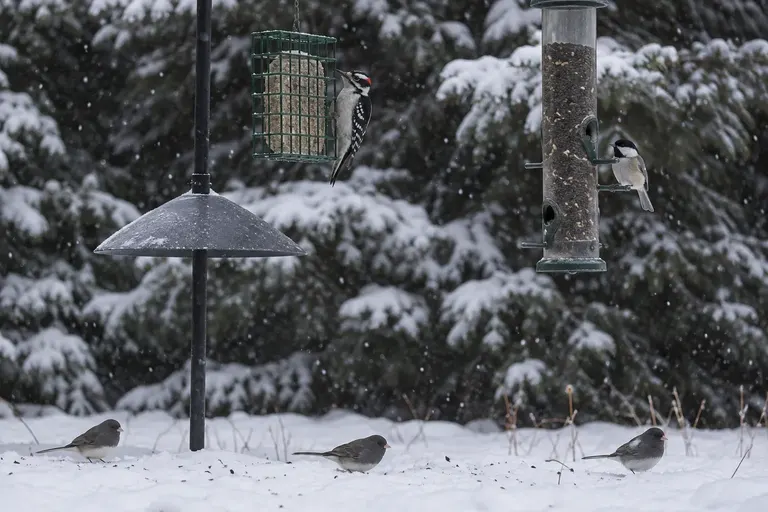
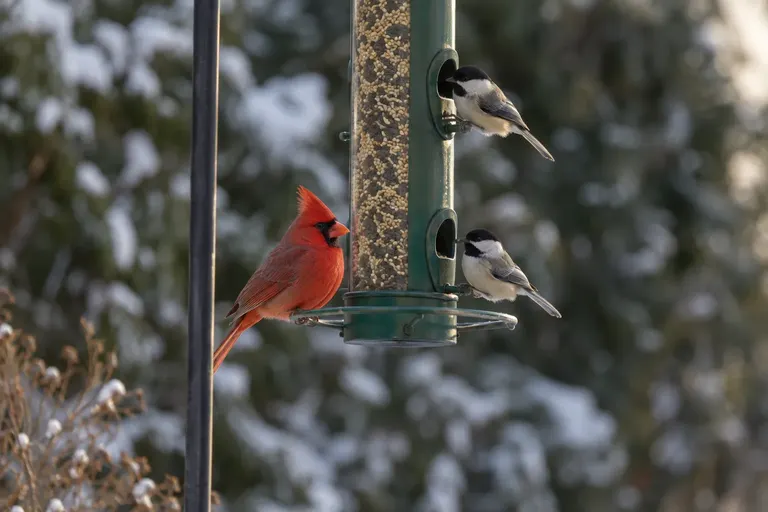
Feeders are tricky because the same birds come and go. eBird’s rule: report the highest number of individuals seen at one time during your observation period, plus any clearly different individuals.
Example: over 30 minutes you see 3 House Finches, then 5, then 2. Report 5. If one of the earlier three was a distinctive bird you are sure was not among the five, such as a bird with an obvious eye problem, report 6.
This rule prevents the same chickadee being counted 40 times, which would badly distort the data.
Counting flocks
For big flocks of blackbirds, starlings, geese or robins, eBird describes a blocking method: count a manageable group one by one, say 10 or 20 birds, then estimate how many blocks of that size make up the whole flock. Birds farther away take up less visual space, so adjust as you go to avoid undercounting.
When you are not sure of the species
You can report a higher-level category instead of guessing. eBird offers options like “woodpecker sp.” or slashes such as “Downy/Hairy Woodpecker.” Reporting an honest “sp.” is better than a confident mistake. Our guide to how to identify birds can help narrow those down next time.
Hotspot or personal location?
Hotspots are shared public birding locations, such as parks, refuges, trails and lakes. Everyone who birds there contributes to the same species list and bar charts, which makes them far more useful for finding birds.
Personal locations are places only you use, like your yard or a friend’s farm. Create one for your yard and use it every time, so eBird can track your yard total correctly.
Tips for choosing:
- Use an existing hotspot whenever you bird a public place. Search the map before creating a new location.
- Do not create a personal location at a public site that already has a hotspot. It splits the data.
- Keep your home location consistent. Put the pin on your yard once and reuse it.
- Think about privacy. Checklist locations are part of eBird’s public data, so name your yard something general, such as “Home yard,” and consider placing the pin at the center of your street rather than exactly on your house.
How to find eBird hotspots near you
The hotspot explorer on ebird.org is a map of every hotspot. Zoomed out, it shows colored grid cells; zoomed in, individual hotspots, each with a species total. Brighter colors mean more species reported.
Two filters make it much more useful:
- Date range. Pick a month to see where birds are reported at that season, across all years.
- Recent activity. Limit the map to places with checklists in the past week or month.
Click a hotspot to see its species list, recent checklists, photos and bar charts. Birders commonly use this to find the best local park for spring warblers or the closest lake with wintering ducks.
eBird Explore tools worth learning
Beyond hotspots, eBird’s Explore section has several tools that are useful even if you never leave your yard:
- Species maps. Where a species has been reported, filterable by date. Handy for checking whether that “unusual” bird is really unusual.
- Bar charts. The frequency of each species through the year at a hotspot, county or state. They show when migrants arrive and leave, week by week.
- Targets. Species reported in an area that are not yet on your list for that area.
- Illustrated checklists. A printable-style list of species for a region, with photos and seasonal patterns.
- Yard and patch totals. Compare how many species you and your neighbors have recorded in your yards and favorite patches.
Bar charts are the one to start with. Look up your county and you will see exactly when to expect juncos to arrive in fall or hummingbirds in spring. That tells you when to put out a hummingbird feeder or switch seed.
How to set up eBird alerts
eBird alerts are the fastest way to hear about unusual birds near you. Sign in, go to the Alerts page, and pick a region such as your county or state.
- Rare Bird Alerts list species reported in that region that are rare or unusual there.
- Needs Alerts list species reported in that region that you have not yet recorded there. They stop showing a species once you report it.
- ABA Rarities covers very rare birds (ABA code 3 and above) across the American Birding Association area.
You can check alerts on the website or subscribe by email. Many birders keep a county Needs Alert and a state Rare Bird Alert. Treat alert entries as leads: some are unconfirmed reports that reviewers have not yet checked.
What happens after you submit a checklist?
Each region has volunteer reviewers who know local birds. eBird uses regional filters based on expected species and counts for each date. If you report a species that is unusual for the place or season, or a count much higher than expected, the checklist may be flagged and a reviewer may ask for details.
This is normal and not an accusation. The best responses include a short description of what you saw or heard, a photo or a recording. Adding media to checklists also helps; photos and sounds you upload become part of the Macaulay Library at the Cornell Lab.
How to use the eBird Mobile app in the field
The free eBird Mobile app is the easiest way to keep checklists accurate, because it records time and distance as you go instead of relying on memory afterward.
- Start the checklist when you start birding. The app notes the start time and, with location permission, tracks the route and distance for a traveling count.
- Use Quick Entry. eBird’s counting guidance points to the Quick Entry feature as the smoothest way to add species and adjust counts on the move: type a few letters of the name and tap to add birds.
- Update counts as you go. If you see more birds of a species later, raise the number rather than adding a second entry.
- Work offline. The app can store checklists on the phone and submit them once you have a signal again, which suits rural trails and parks with poor coverage.
- Review before submitting. Check the protocol, the complete checklist answer and any flagged species before you tap submit.
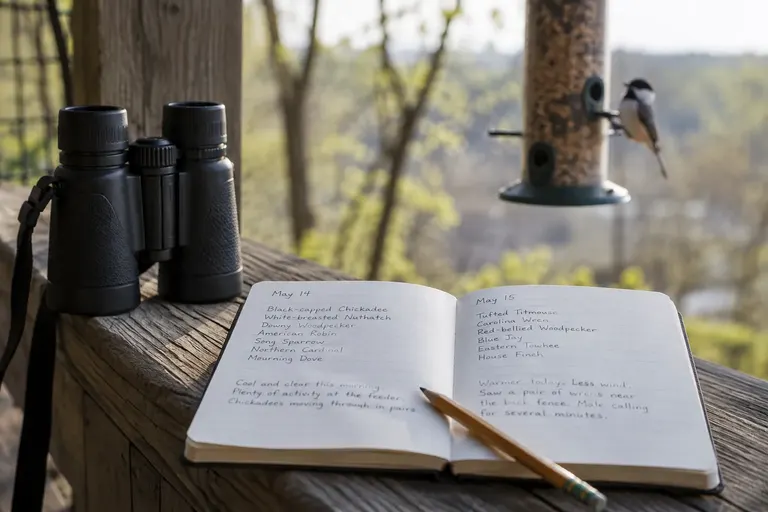
If you prefer paper, keep a small notebook with start and end times, a rough distance and tallies, then enter the checklist on ebird.org at home. Enter it the same day while details are fresh.
How to edit or delete an eBird checklist
Mistakes happen. On ebird.org, open My eBird and find the checklist under your submitted checklists. From there you can change species, counts, the location, the date, the protocol and comments, or delete the checklist entirely. Fixing a wrong entry is always better than leaving it, since your data feed maps and research. If a reviewer asked about a record and you realize it was an error, edit or remove it.
How to use eBird to plan a birding outing
eBird is as useful for planning as it is for recording. A simple routine many birders follow:
- Check the bar charts for your county to see which species peak this week.
- Open the hotspot explorer with the recent activity filter to see where birders have been active.
- Read a few recent checklists at the hotspots that look promising. Note what time people birded and what they found.
- Check your Needs Alert for species you have not seen in the county.
- Go early. Most checklists with long species lists start in the first hours after sunrise. Our guide to the best time of day to see birds explains why.
Does eBird data actually help birds?
Yes. The Cornell Lab says eBird data have been used in hundreds of conservation decisions and peer-reviewed papers and thousands of student projects. The data document where birds are, how abundant they are, which habitats they use and how their populations change over time. Complete checklists with good effort information are what make that analysis possible, because researchers can account for how long and how far people looked. A 20-minute stationary count from your kitchen window, repeated every week for years, is exactly the kind of record that adds up.

eBird or Project FeederWatch: which should a feeder watcher use?
Both come from the Cornell Lab, and they answer different questions. eBird accepts checklists from anywhere, any day of the year, and covers every kind of birding. Project FeederWatch, run by the Cornell Lab and Birds Canada, is a winter survey focused specifically on birds visiting feeders, with its own counting schedule and a season that runs through the colder months.
If you mostly watch feeders in winter and like a structured routine, FeederWatch is a natural fit. If you want year-round records, a life list and tools for finding birds away from home, use eBird. Many feeder watchers do both. Just follow each program’s own counting rules, since they differ, and keep the two sets of counts separate in your head. For making the most of your yard in the first place, see our guide to backyard birding.
eBird tips for backyard birders
- Do short, regular stationary counts. Fifteen minutes each morning from the same window builds a valuable record of your yard over the years.
- Add breeding codes when you see nesting behavior, such as a bird carrying nest material or feeding young. eBird uses them for breeding atlases.
- Share checklists with companions. eBird asks each birder to have their own account and share the checklist, rather than one person entering birds others saw.
- Use comments. Note how you identified tricky species, especially anything unusual.
- Keep your life list honest. It is yours alone. Our guide to how to keep a life list covers rules many birders follow.
Common eBird mistakes
- Using “X” for everything. Counts make data useful. Estimate if you must.
- Adding up feeder visits. Report the most seen at once, not the running total.
- One checklist for a whole day. Break it into separate sessions.
- Counting birds from a feeder camera app. Remote images do not count.
- Choosing “complete” when you skipped species. If you did not report everything you identified, say the checklist is incomplete.
- Wrong protocol. A walk around the neighborhood is traveling, not stationary.
- Duplicating hotspots. Search before you create a new location.
- Reporting app suggestions you did not confirm. Merlin is a lead, not a record. Our guide to using Merlin Sound ID without getting fooled shows how to check.
Sources
Frequently asked questions
Is eBird free to use?
Yes. The Cornell Lab of Ornithology runs eBird, and the website, the eBird Mobile app and the data are all free. You need a free Cornell Lab account, which also works with Merlin Bird ID. eBird says its data are freely accessible to anyone and have been used in hundreds of conservation decisions and peer-reviewed papers.
What is a complete checklist in eBird?
A complete checklist means you reported every species you identified by sight or sound during that outing. That lets scientists infer which birds were not detected as well as which were. If you left out species on purpose, for example you only noted the hawks, answer no to the complete checklist question so the data are read correctly.
How do I count birds at my feeder for eBird?
eBird's guidance is to report the highest number of individuals of each species seen at one time during your watch, plus any clearly different individuals. If you see four chickadees at once, then two, then three, report four, unless you know some were different birds, such as a banded bird or a distinct plumage.
What is the difference between stationary and traveling checklists?
A stationary count means you stayed within about 100 feet, or 30 meters, of one spot, such as a yard or a window. A traveling count means you moved farther than that, and you enter the distance covered, not counting backtracking. Incidental is for sightings when birding was not your main activity, like driving or gardening.
How do I get rare bird alerts from eBird?
Sign in at ebird.org, open the Alerts page and choose a region, such as your county or state. Rare Bird Alerts list unusual species reported there, and Needs Alerts list species reported there that you have not recorded yourself. You can subscribe to receive these by email as well as check them on the website.
Can I report birds I heard but did not see on eBird?
Yes, if you confidently identified them by sound. eBird asks you to report birds you identified by sight or sound. Do not report a bird based only on an app suggestion you could not confirm. If you are unsure between two species, you can report a broader category, such as a genus or a slash like Downy/Hairy Woodpecker.